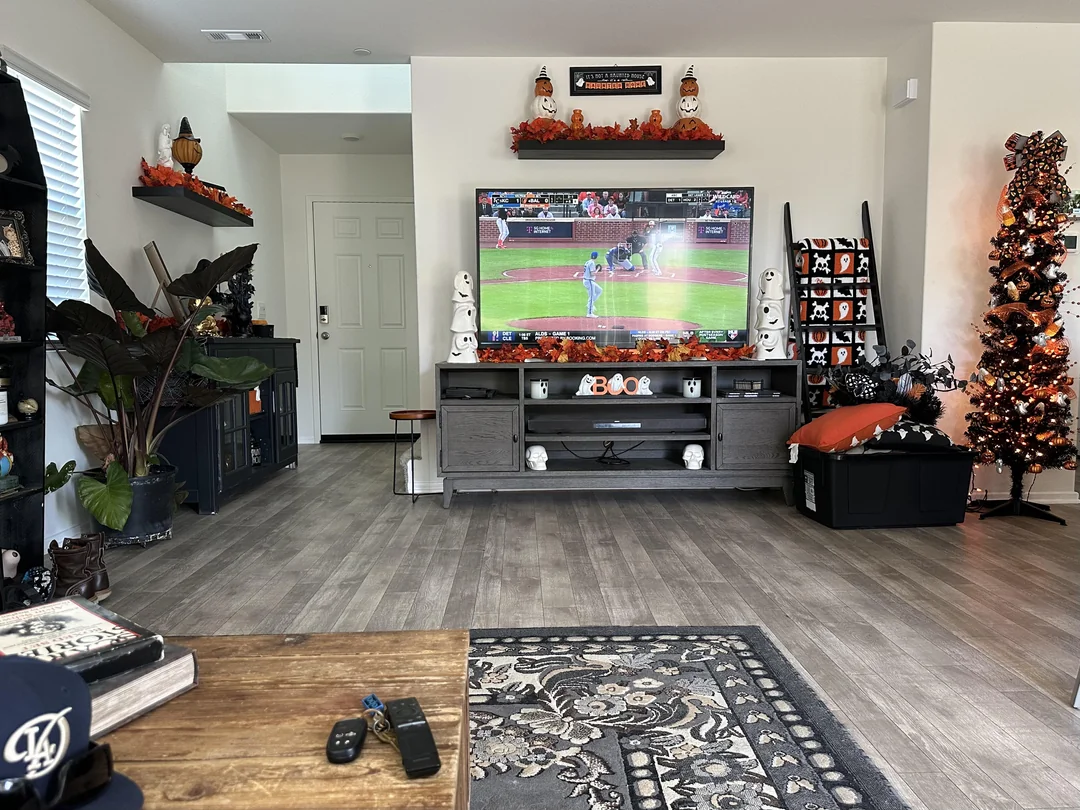
Look behind most TV stands and you will find one of two things: a thick coaxial cable screwed into a receiver, or a slim box linked to the router by Wi-Fi or an Ethernet lead. The comparison of IPTV box vs cable comes down to what that line carries, who supplies the hardware, how much of the setup sits in your hands, and how you pay. This page lays the two side by side without naming any company, so you can weigh them against your own living room, your own internet and your own evening habits.
We are an IPTV service, so we have an obvious interest. That is exactly why this page sticks to what you can check yourself and says plainly where cable has the edge. Cable terms differ from one provider and one plan to the next, so wherever the cable column says “usually” or “often”, treat it as typical rather than universal, and read the terms you have been offered. If the word “IPTV box” is still a little fuzzy, our IPTV box guide is the best place to start, and the page on what an IPTV box is covers the hardware basics.
IPTV box vs cable: how each one delivers TV
A cable box is fed by a dedicated coaxial line that runs from the street, through the wall and into a jack near your TV. The provider sends channels down that line, and the box tunes and decodes them for the screen. In many homes, internet arrives on the same line or a neighbouring one, but TV travels on its own reserved path. That is why a cable picture rarely cares whether someone else in the house is on a video call.
An IPTV box works differently. It joins your home network like a phone or a laptop. When you pick a channel in the player app, the box asks the service’s server for that stream, receives it through your router and plays it as it arrives, keeping a small reserve so brief hiccups do not show. TV shares the same internet connection as everything else in the house.
That single difference explains most of what follows. Cable is a closed pipe built for TV, with the provider in charge of every link up to your screen. An IPTV box is a flexible device that uses the internet you already pay for, with you in charge of the last part of the journey: the router, the Wi-Fi or cable to the box, and the box itself. Some people love that control. Others prefer to have someone else look after it. Both reactions are reasonable, and this page should help you work out which camp you are in.
Behind the TV stand: the two setups
Physically, the two setups look surprisingly alike. Both use an HDMI cable to reach the TV, both come with a remote, and both need a power outlet. The differences are in what plugs into the back of the box and who owns it.
Cable box input
A coaxial jack, screwed onto the line from the wall. Nothing else carries the TV signal.
IPTV box input
Wi-Fi, and on most full-size boxes an Ethernet socket for a wired link to the router.
Who owns it
A cable box usually belongs to the provider. An IPTV box is yours to choose, keep and move.
What else it runs
A cable box runs the provider’s menus. An IPTV box runs apps from its official store, including a player.
With cable, the box usually comes from the provider. It may be rented or included in the plan, and it is tied to that provider’s service. When it ages or fails, you ask for a replacement. You do not choose its remote, its menus or its features, but you also do not have to think about them.
With IPTV, the box is your own. Common choices are an Android TV or Google TV box, a Fire TV Stick or an Apple TV, and many Samsung and LG smart TVs can run a supported player without any box at all. You can also watch on an iPhone, iPad, Android phone or tablet, or a PC. Because the box is a general device, it also runs other apps from its official store, and you can replace it whenever you like without touching your subscription. The IPTV boxes section has a setup guide for each family.
The wall jack and the router: wiring compared
Where the TV can sit in your home depends on the line that feeds it. With cable, the TV goes near a coaxial jack, or a technician adds one. With an IPTV box, the TV can go anywhere the router’s signal reaches well, or anywhere you can run an Ethernet cable. Here is how the wiring compares, room by room.
| Situation | Cable box | IPTV box |
|---|---|---|
| TV next to an existing coaxial jack | Plug in and go | The jack is not used; the box needs Wi-Fi or Ethernet |
| TV in a room with no jack | A new line or a splitter, often by a technician | Strong Wi-Fi or a run of Ethernet cable |
| Router in the same room as the TV | Not relevant to the TV signal | Ideal: a short Ethernet cable |
| Router two floors away | Not relevant to the TV signal | Plan a cable, a wired access point or a router move |
| Moving the TV to another room | Depends on the jacks available | Move the box and its power adapter |
| A TV at the cottage | A separate service there | Take the box; use the cottage internet |
The practical lesson is simple. Before you switch, stand where the TV is and ask how the box will reach the router. If a cable can follow the baseboard from router to TV, you have the ideal IPTV setup. If the router is far away and Wi-Fi at the TV is weak, plan that link first, because it decides how the picture will behave more than anything else on this page. Our page on Wi-Fi or Ethernet for an IPTV box explains each option, from a flat cable along the floor to the 5 GHz Wi-Fi band.
IPTV box vs cable: side-by-side comparison
Here is the neutral overview in one table. Cable terms vary from one provider to another, so treat that column as typical rather than universal. The IPTV column describes how things work with BoxReady IPTV.
| Point | Cable box | IPTV box with us |
|---|---|---|
| Signal arrives through | Coaxial line from the wall | Home internet, by Wi-Fi or Ethernet |
| Who supplies the box | Usually the provider | You choose and own it |
| Installation | Often a technician visit | You plug in HDMI, power and, ideally, Ethernet |
| Depends on internet speed | Little or not at all | Yes: 10, 15 or 25 Mbps per screen for HD, Full HD or 4K |
| Menus and guide | The provider’s own software | A player you pick from the official app store |
| Recording and replay | Depends on the provider and the box | Depends on the player and the service; ask support before relying on it |
| Payment | Depends on the provider | One-time payment in Canadian dollars, card or PayPal |
| Contract | Varies by plan | None, and no automatic renewal |
| Several TVs at once | Often extra boxes from the provider | One simultaneous connection per pack; more on request |
| Taking it on a trip | Usually not | Yes, the box travels with you |
Read the table line by line against your own life rather than counting which column has more good-looking entries. A household that never moves the TV and hates fiddling with menus will weigh the lines differently from a couple who spend weekends at the cottage and enjoy setting up apps. The sections below take the lines that matter most in more depth.
Installation day compared
Cable installation is often handled for you. Someone books a time, runs or checks the line, connects the box, tests the signal and leaves. After that, there is little to touch. If you value that, it is a real advantage, and nothing about IPTV replaces having someone else do the work.
An IPTV box asks a bit more of you on day one, then very little afterwards. There is no appointment to wait for: your access arrives by e-mail within minutes of ordering, and the rest happens at your own pace, usually over a single evening. Here is what that evening looks like.
- Before you start
Check the speed at the TV
Run a speed test where the TV sits, in the evening. Compare with 10, 15 or 25 Mbps for HD, Full HD or 4K.
- Step one
Place and connect
Put the box in the open, plug HDMI into the TV, power into the wall and Ethernet into the router if you can.
- Step two
Finish the box setup
Pick the HDMI input with the TV remote, choose your language, join the network and install system updates.
- Step three
Install a player
Open the box’s official app store and install a supported player such as IPTV Smarters Pro, TiviMate or XCIPTV.
- Step four
Log in and settle
Enter the Xtream Codes details or the M3U link from your e-mail, then let the list and guide load fully.
Some players charge for a licence or a premium edition; check the current price on the app’s official website. BoxReady IPTV is independent from these publishers. If the remote and on-screen keyboard feel awkward, many box makers offer an official phone remote app that lets you type with your phone instead. The box setup hub walks through every step with the buttons to press, family by family.
Using the remote every evening
Different habits, same couch
Cable viewers often think in channel numbers: press a few digits, land on the channel. IPTV players think in groups, favourites and search. The switch feels odd for a few evenings, then most people find it quicker.
- Arrows to browse, OK to play, Back to step out
- A guide key or menu entry for the programme grid
- Favourites for the channels you watch every day
- Search for anything you cannot find by scrolling
The biggest difference is the size of the list. A cable line-up is a fixed set, arranged by the provider. An IPTV catalogue is far larger: our packs range from 20,000+ channels in the Premium Pack to 57,000+ 4K channels in the Ultimate 4K Pack. Nobody scrolls through all of that. Instead, you shape the list once, so the remote takes you straight to what you watch.
Some box remotes include number keys and channel up and down buttons that feel familiar to cable viewers. Many players also let you jump to a channel by number once your favourites are numbered. If the main viewer in your home relies on those keys, check the remote before buying a box, and switch on HDMI-CEC so one remote can also control the TV’s power and volume. Our page on remote control tips for IPTV covers the buttons and shortcuts that make the change painless.
Recreating a familiar line-up
The quickest way to feel at home after cable is to rebuild the short list of channels you actually watch, in an order that makes sense to you. It takes one sitting with the remote and saves countless minutes of scrolling afterwards. The exact menu names vary by player, but the steps are the same everywhere.
- List your everyday channels. Before you touch the remote, write down the handful of channels the household watches most.
- Find each one by search. Use the player’s search rather than scrolling. Type a few letters and pick the right result.
- Add it to favourites. Long-press OK or open the options menu on the channel, then choose Add to favourites.
- Order the favourites. Most players let you move favourites up and down, so the daily ones sit at the top.
- Hide what you never watch. In the player settings, hide whole groups you will never open. The list gets shorter and quicker.
- Teach the household. Show everyone how to open favourites first. It becomes the new “channel up, channel down”.
The catalogue includes French-language and international content. If a specific language matters to your household, ask support before ordering, so you know what to expect before you start rebuilding. Players differ in how they handle favourites and groups; the guides to TiviMate on a box and IPTV Smarters Pro on a box show the exact menus for two of the most popular ones.
The TV guide, sound and other everyday details
Beyond channels and pictures, a few everyday details shape how the switch feels. The first is the programme guide. A cable box shows the provider’s own guide, already lined up with your local time. An IPTV player shows an electronic programme guide too, and with Xtream Codes it usually arrives with the login. The one thing to check is the time: if the box’s clock or time zone is wrong, the guide appears shifted. In the box settings, set the date and time to automatic and pick your Canadian time zone; most players then follow it. Our page on the TV guide on your box explains the offset options when a guide still runs early or late.
The second detail is sound. Nothing changes here for most homes. A cable box and an IPTV box both send sound with the picture down the HDMI cable to the TV, and the TV passes it on to a soundbar through its ARC or eARC port as before. If you used an older amplifier with an optical cable from the TV, that keeps working too.
Deep dive: why the first guide load takes a while
The first time a player opens with a new login, it fetches the whole channel list and a large block of guide data, then stores it on the box. With a big catalogue, that first load can take noticeably longer than later ones. Let it finish without pressing Back. Afterwards, the player only refreshes what has changed, and opening the guide becomes quick.
If the guide stays empty after the first load, refresh it from the player’s settings and check the box’s time zone. A guide that is present but shifted by a few hours is almost always a clock setting, not a problem with the service.
The third detail is power. A cable box often stays on standby around the clock. An IPTV box does too, but it benefits from a proper restart from time to time: unplug it from the wall for a moment, then plug it back in. It clears the memory and keeps menus quick.
IPTV box vs cable: picture quality and stability
Cable offers a steady picture because its line is reserved for TV. The quality you see depends on what the provider sends down that line and on your TV. When the house is busy online, the cable picture is largely unaffected.
An IPTV box can show HD, Full HD and 4K, depending on the stream and your connection. Its stability depends on your home network more than on the box. A wired Ethernet link is the most reliable choice. On Wi-Fi, the distance to the router, the walls between them and other devices streaming at the same time all play a part. These are the speeds we recommend for each screen:
Speed to plan per screen
Measure at the TV, in the evening, not next to the router in the afternoon. That number tells you what the box will see when everyone is home. If it comfortably clears the figure for your resolution, an IPTV box can be every bit as steady as cable. If it does not, the fix is usually in the house: a cable, the 5 GHz band, a router raised off the floor.
Hands-on tip: if the router sits in another room, try the box there first with a short Ethernet cable. If the picture is smooth, you know the box and the service are sound, and any later trouble comes from the path between the router and the TV.
What your internet must carry once TV moves onto it
This is the part people underestimate when they compare an IPTV box with cable. With cable, TV has its own path. With IPTV, every screen that streams adds to the load on your internet connection, alongside phones, laptops, game consoles and video calls. The figures add up when several screens play at the same time.
| A typical evening at home | Streaming load to plan | What to check |
|---|---|---|
| One Full HD TV | 15 Mbps | Speed test at the TV |
| One 4K TV | 25 Mbps | Ethernet or strong 5 GHz Wi-Fi |
| A 4K TV and a Full HD tablet | 40 Mbps | Total speed at the router in the evening |
| Two Full HD screens and an HD phone | 40 Mbps | Total speed, plus Wi-Fi strength at each screen |
Remember that each of our packs includes one simultaneous connection, so the multi-screen rows apply when other screens use other services or when you have arranged extra screens with support. The point is the habit: count every screen that streams at the busiest hour, add the figures, and compare with what your connection delivers in the evening. If the total is close to the limit, schedule game updates and cloud backups for the night, when nobody is watching.
If you see pauses after switching, the box buffering fixes page lists the cures in the order we try them, starting with the cheapest. Most of the time, the answer is a cable or a better router spot rather than a faster internet plan.
Several TVs in one home
Cable and IPTV handle multiple TVs very differently, and this is one of the lines where the comparison needs care. With cable, a second or third TV usually needs another box from the provider, under that provider’s terms. Each box can show a different channel at the same time, according to the plan.
With us, each pack includes one simultaneous connection. You can type the same credentials on several of your own devices, the living-room box, a bedroom stick, a tablet, and use them one at a time. If one is playing and another starts, the first one stops. That suits households where one screen is on most evenings, which is more common than people expect once they think about it.
Before you switch: count how often two TVs play at the same moment in your home. If it happens regularly, ask support through the contact page about more simultaneous screens; they will give you the conditions and price. Credentials are for your own household only.
How one-screen households manage
They agree on a main TV, usually the living room. Other screens are for when the main one is off: the bedroom stick late at night, the tablet in the kitchen on a quiet morning, the stick at the cottage on the weekend. Before leaving home with a device, they stop playback on the main TV, so the trip starts smoothly.
Payment and commitment compared

How paying for IPTV works with us
Cable billing and commitments vary by provider and by plan, so read the terms you are offered carefully. On our side, the terms are short enough to fit in one list.
- Pick a duration: 1, 3, 6 or 12 months
- Pay once, in Canadian dollars, by card or PayPal
- No contract and no automatic renewal
- Access by e-mail within minutes
- Amounts: see current prices on the plans page
Because nothing renews by itself, the end of a duration is a decision point rather than a surprise. If you want to keep watching, you order again; if not, you simply stop. That makes it easy to start with a short duration while you are still comparing with cable, then move to a longer one once you are sure. The 1-month plan suits that first test, and the 12-month plan covers a whole year in one payment once you are settled. The payment page explains each step of checkout.
The three packs differ by catalogue size and focus. The Premium Pack offers 20,000+ channels, 24,000+ series and 100,000+ movies in HD, Full HD and 4K. The VIP Premium Pack raises that to 27,000+ channels, 61,000+ series and 155,000+ movies. For a 4K TV on a wired connection, the Ultimate 4K Pack offers 57,000+ 4K channels, 47,000+ series and 179,000+ movies, with 20 servers in Europe.
Compare packs and durations
Three packs, four durations, one payment in Canadian dollars, and your access in your inbox within minutes.
What stays the same when you switch
People sometimes imagine that moving from cable to an IPTV box means replacing everything around the TV. In practice, most of the living room stays exactly as it is. Knowing that takes some of the worry out of the change.
Your TV
Any TV with an HDMI port works. No new screen is needed, even an older one.
Your soundbar
It keeps working through the TV’s ARC or eARC port, or the optical cable you already use.
The HDMI habit
Same type of cable, same kind of port, same Input or Source button on the TV remote.
Your internet
The connection you already pay for carries the streams. Check its evening speed at the TV.
What changes is the small box under the TV, the remote in your hand and the menus on screen. Those three take a few evenings to feel natural. Everything else, from the TV’s picture settings to where everyone sits, carries on as before. If you are unsure whether your current TV is a good match, the comparison of an IPTV box vs smart TV app helps you decide whether you need a box at all or whether the TV’s own store already lists a supported player.
Switching without a gap
The safest way to move from cable to an IPTV box is not to switch at all at first. Run the box alongside your current service for a while, at the times you usually watch, and only then decide. That way there is never an evening without TV, and you judge the box on real use rather than a first impression.
Set up the box on a spare HDMI input. Use it for your usual viewing while the cable box stays connected.
Then: note any pauses at the busy hourFix the network before judging: a cable to the router, the 5 GHz band, a better router spot.
Then: test again the next eveningAsk support what the catalogue includes before you change anything else.
Then: decide with the full pictureRebuild your favourites, label the HDMI input and teach everyone the five key buttons.
Then: review your cable terms calmlyDo not cancel an existing TV service until your box is set up, your speed holds steady at the times you usually watch, and you have checked that the content you care about is there. For a specific language, ask support before ordering. And when you do review your cable terms, read them carefully: commitments, equipment returns and notice periods vary by provider, and only your own agreement tells you what applies to you.
Who should keep cable for now
An IPTV box is not the right answer for every home, and we would rather you knew that before ordering. Here is an honest split between the households that usually do well with a box and those that may be happier staying with cable, at least for now.
An IPTV box usually suits you if
- Your evening speed at the TV comfortably covers your screens
- You can run Ethernet to the TV or have strong Wi-Fi there
- You like choosing your own box and player
- You prefer paying once for a set duration, without a contract
- One screen at a time covers most of your viewing
- You are comfortable with a short setup using a remote
Cable may suit you better if
- Your internet is slow or unreliable at the TV and cannot be improved
- Several TVs play at once every evening
- Nobody at home wants to touch a setup menu
- You rely on features your current provider includes
- You prefer a technician to handle every change
If you ticked only one or two lines on the left, cable may still be the better fit, and that is a perfectly reasonable choice. Some households also keep both for a while: cable on the main TV, an IPTV box on a second screen or at the cottage. If you want to be sure about the legal side before going further, read is IPTV legal in Canada. The technology is legal; whether a service is legal depends on the broadcasting rights it holds, so check before subscribing.
Household scenarios
Abstract comparisons only go so far. Here are a few situations we hear about often, with how the comparison usually plays out. Use them as a mirror rather than a rule.
An ideal IPTV setup: a short Ethernet cable, one main screen, and no need for a coaxial jack in the room.
Then: run both services side by sideOne simultaneous connection per pack will feel tight. Ask support about more screens before deciding.
Then: compare the terms calmlyCable may feel simpler. If you try a box, switch on HDMI-CEC and set up favourites for them.
Then: keep the old remote habits in mindA box or stick travels with you and uses the cottage internet, with the same login.
Then: stop playback at home firstFix the link first. Until a cable or access point reaches the TV, Full HD is the realistic target.
Then: test at the busy hourIf none of these households looks like yours, write down three facts and send them to support: how many TVs play at the same time on a normal evening, where the router sits compared with the main TV, and who in the house holds the remote most often. Those three answers settle most of the comparison. Add your evening speed test at the TV if you have it. We reply 7 days a week, in English and French, and we will tell you honestly whether an IPTV box looks like a good fit for your home or whether staying with cable makes more sense for now. If a box does fit, the compare boxes hub helps you choose the hardware before you order anything.
Mistakes when moving from cable to a box
Most disappointing switches we hear about come from skipping the same few steps. Each one is easy to avoid with a little planning.
Keep the old service until the new box has proved itself on your busiest evening.
- Cancelling cable before the box has run through a few real evenings
- Testing the internet speed next to the router instead of at the TV
- Using Wi-Fi from a distant router when a cable could reach
- Expecting a fixed channel line-up instead of shaping favourites
- Forgetting that several TVs at once need an arrangement with support
- Hiding the box in a closed cabinet where heat and weak Wi-Fi build up
- Installing a player from outside the official app store
Each of these has a fix somewhere on the site. The box troubleshooting hub is the place to start if something misbehaves in the first evenings.
Cable and IPTV words side by side
Switching means learning a few new words. Here are the ones you will meet, alongside the cable terms they replace.
- Coaxial line
- The round cable from the wall that feeds a cable box. An IPTV box does not use it.
- Ethernet
- The wired network cable from your router to the box. The IPTV equivalent of a reliable line.
- Player
- The app on the box that replaces the cable box’s menus: channel list, guide and playback.
- Favourites
- Your own short list of channels, the IPTV answer to memorised channel numbers.
- EPG
- The electronic programme guide, shown inside the player like the cable guide.
- Xtream Codes and M3U
- The two login formats in your welcome e-mail: three fields, or one long link.
- Simultaneous connection
- One stream playing at a time. Each pack includes one; more only on request.
- Buffering
- A pause when the stream arrives more slowly than it plays, usually a home network issue.
Related pages
This page is part of the guide section. These pages pick up the questions that usually come next.
Weighing cable against a box
Tell support how many TVs you use, where your router sits and what you watch. We answer 7 days a week by e-mail and WhatsApp, in English and French.
FAQ
What is the main difference between an IPTV box and a cable box?
A cable box receives TV through a coaxial line. An IPTV box receives it through your home internet and plays it in a player app.
Do I need fast internet for an IPTV box?
Plan 10 Mbps per screen in HD, 15 Mbps in Full HD and 25 Mbps in 4K, added up for screens used at the same time.
Can an IPTV box replace a cable box completely?
For many homes, yes, if the connection is steady and the content suits you. Set the box up and run it beside your current service before cancelling anything.
Is the picture better on cable or IPTV?
Both can look excellent. With IPTV, picture quality depends on the stream and your connection, with HD, Full HD and 4K available.
Can I use the coaxial jack with an IPTV box?
No. An IPTV box connects to your router by Wi-Fi or Ethernet. The coaxial jack is not used.
Can I watch on several TVs with one IPTV pack?
Each pack has one simultaneous connection. Use your devices one at a time, or ask support about more simultaneous screens.
Is there a contract with an IPTV box subscription?
Not with us. You pay once for 1, 3, 6 or 12 months, with no contract and no automatic renewal.
Do I need a technician to install an IPTV box?
No. You plug in HDMI, power and ideally Ethernet, install a player from the official store and type the login from your e-mail.
Can I record shows like on cable?
Recording and replay depend on the player and the service. Ask support before relying on them.
Should I cancel cable before ordering?
No. Run the box beside your current service first, at the times you usually watch, then decide.